


Excellent results and high efficiency
with our digital solutions for smart grinding
In modern mechanical engineering, not only the machine itself determines the quality of the grinding results, but the software as well. For many years, our WOTAN® grinding machines have featured the in-house WOP™ Touch interface – a software solution that enables our customers worldwide to fully exploit the precision of our machines and unlock the full potential of the machines without any programming knowledge.
Less Complexity –
Easier Operation
To keep technologically sophisticated grinding processes manageable, we have further developed our machine software and our in-house WOP™ Touch interface to meet your requirements.lt.
CNC by WOTAN® and WOP™ Touch are based on the experience gained from around 100 years of grinding machine engineering in Glauchau. This gives future generations simple access to the extensive potential of WOTAN® machines through a user-friendly, dialog-guided graphical interface.
Our proven WOP™ Touch interface, now in its third generation, provides you with tools that simplify the creation of grinding programs and make your processes easier to control – enabling you to grind more efficiently and productively at all times.
You can use the WOP™ interface at the control panel of your WOTAN® grinding machine and, since the introduction of WOP™ Touch, also remotely – for example on a PC in work preparation or on a tablet.
The new generation –
Modular and 3D
In its third generation, we have restructured WOP™ Touch. With ++Modules, you can configure our software precisely for your specific grinding tasks and make it more powerful and flexible.
The next step -
WOP™Touch + WOP™ 3D
With the innovative WOP™ 3D module, we take user-friendliness to a new level. By importing STEP data, you can plan and parameterize your grinding process intuitively on the workpiece model.
CNC by WOTAN® – NO µ WITHOUT BYTES
Our extreme precision is built on the exceptionally robust and sophisticated design and manufacture of our WOTAN® machines, as well as on our many years of experience in grinding machine engineering. Today, however, the decisive extra in perfection can only be achieved through our highly advanced and smart CNC programs.
Our next-generation CNC control system based on SINUMERIK ONE enables extremely fine-tuned movements through the precise control of all machine axes and components, allowing even highly complex geometries to be machined efficiently and with precision in the range of <1 µm.
The integration of touch probes accelerates machining and creates the conditions for closed-door machining. Our dynamic steady rest control system, WOTAN® Dynamic Rest, enables highly precise position corrections for particularly long and slender workpieces. In addition, our CNC software monitors the condition of the grinding tools and allows them to be dressed and adjusted automatically.
Safety for People and Machines
Our standards include ESR and Siemens Safety Integrated for two-channel monitoring.
Condition Monitoring
As an option, WOTAN® machines can be equipped with IronMind, NSH’s proprietary service tool.
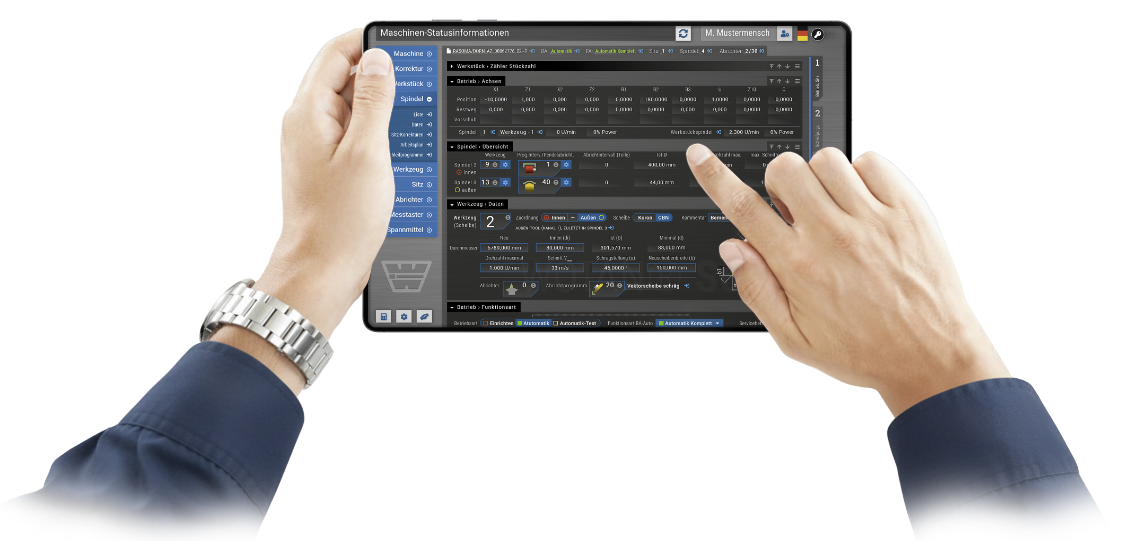
WOP™ Touch — parameterization instead of programming
WOP™ Touch is our powerful and user-friendly interface and the smart center of your grinding operation. Intuitive operation and intelligent functions ensure a high level of safety and reduced non-productive times. Flexible customization options allow integration into your production environment. In a dialog-guided interface, you parameterize your grinding tasks entirely without any CNC knowledge.
WOP™ Touch provides all functions required for sub-micrometer-accurate cylindrical grinding in plunge grinding, longitudinal grinding and angular plunge grinding.
The integrated dressing management system enables the dressing of cylindrical and angled grinding wheels, software-based compensation of the dressing allowances, and specific dressing of the cutting edge.
Its functionality includes the integration of touch probes for zero-point determination, longitudinal positioning and process correction, as well as integrated compensation management.
People at the Center
WOP™ Touch grows with your requirements. Whether in single-part or series production, WOP™ Touch optimizes workflows, increases productivity, and makes your grinding processes smarter and safer.
Our intuitive user interface combines all the capabilities of a WOTAN® machine with a no-code approach. It guides operators step by step to the finished grinding program, with integrated tool management, automatic intermediate measurements, and machine statistics for process reliability and efficiency.
Each user can configure the interface according to their own needs, adapt it to their personal way of working, and save their individual setup. Integrated screenshot and comment functions simplify seamless communication and support binding process documentation.
Safety and Availability
Integrated user management prevents unintended changes, our trial-run mode allows grinding programs to be tested with the machine door open, and our high-quality controllers provide optical and haptic feedback.
Our software also includes remote maintenance functions for fast support and diagnostics, as well as just-in-time provision of consumables, wear parts and grinding tools. This helps you minimize downtime.
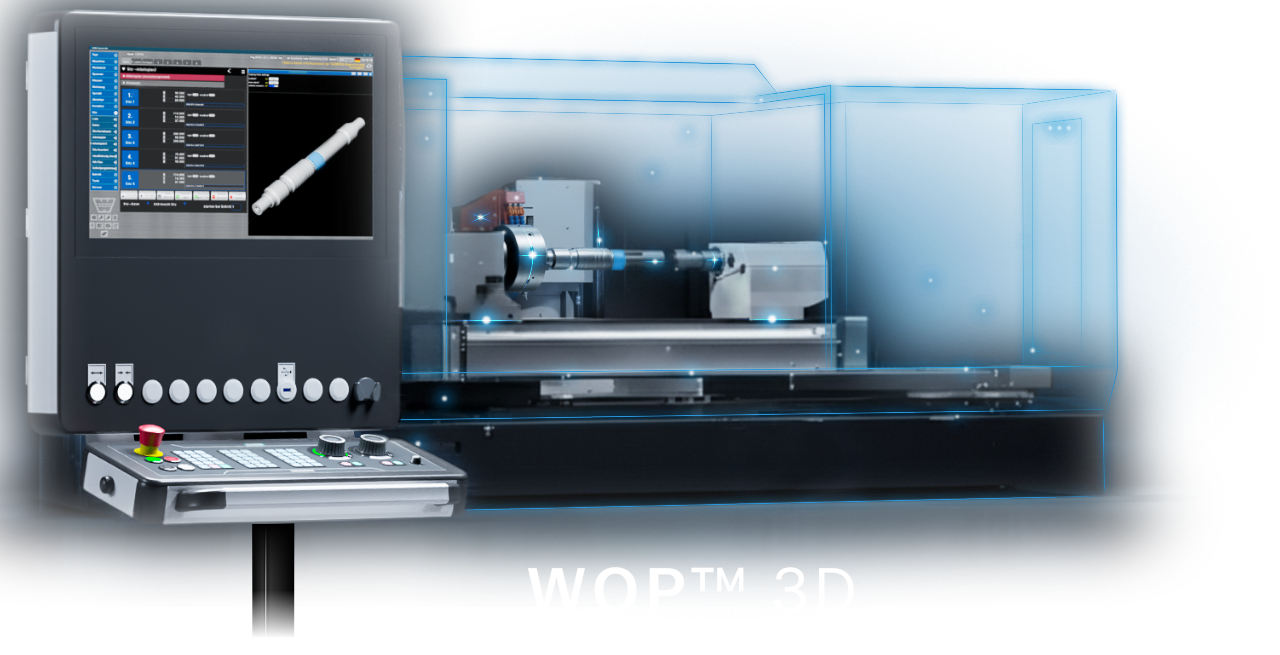
WOP™ 3D – The next STEP for your grinding operation
With the WOP™ 3D extension, you connect your digital grinding program creation in WOP™ Touch with the subsequent grinding operation in an easily understandable, visual way.
Use 3D models from your CAD software directly to parameterize your grinding process, and create workpiece-specific sequences simply and clearly by selecting the surfaces on the 3D model. Follow every machining step live on the model – directly at the machine, or remotely on a tablet or PC.
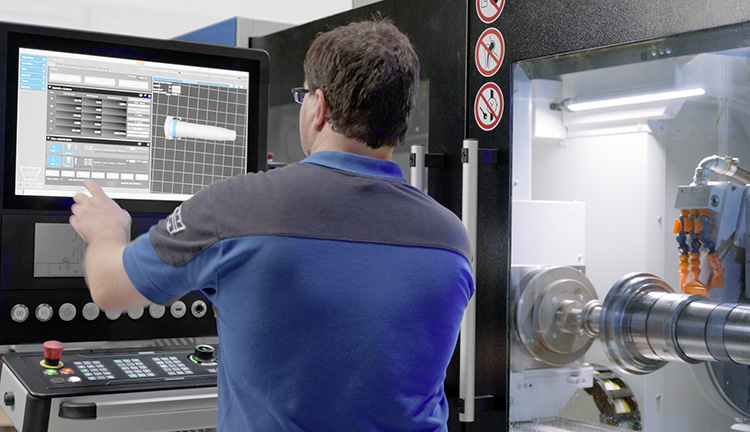
WOP™ – the PLUS in functionality for WOP™ Touch
With our advanced modules, you can extend the functionality of WOP™ Touch with additional functions for machining complex geometries. Active modules are seamlessly integrated into our interface. As with our machines, you benefit from modularity through software that precisely reflects your requirements and lets you decide which functions you want to provide.
WOP™ Contour
Create parameterizable internal and external contours – either individually or adjoining diameters. Optimized geometry transitions help increase workpiece strength. This ++Module makes it easy to create complex contour paths.
WOP™ Dresser
Create sophisticated free-form dressing functions in our free-form editor for profiling and re-profiling grinding wheels for application-specific special geometries.
WOP™ Thread
Grind and regrind high-precision threads. Create thread grinding cycles — metric, trapezoidal, ball screw and Whitworth — for single-rib and multi-rib grinding wheels, including thread-position measurement using a touch probe.
WOP™ Unround
Your access to non-circular grinding using the C axis and advanced algorithms for producing defined cross-sectional forms on rotating parts, with reduced setup effort through the use of a standard tool.
WOP™ Unround MAX
Realize high-end non-circular grinding on our cylindrical grinding machines. Reduce setup times and grind complex contour paths — round and non-circular — with a single tool. With Unround MAX, you can machine cams and polygons precisely and efficiently.
Für einen stabilen, dynamischen Schleifprozess steuert Unround MAX die Achsantriebe direkt an und kann dadurch selbst anspruchsvollen Prozessvorgaben exakt folgen. Feinstkorrekturen im Tausendstel-Grad-Bereich sorgen für außergewöhnliche Genauigkeit und konstant präzise Ergebnisse.
Thanks to high path accuracy in dynamic operation, you achieve reproducibly precise results at all times. Even with its powerful functionality, Unround MAX remains easy to operate.
AE by WOTAN® – Hearing precision where measurement reaches its limits
With our advanced modules, you can extend the functionality of WOP™ Touch with additional functions for machining complex geometries. Active modules are seamlessly integrated into our interface. As with our machines, you benefit from modularity through software that precisely reflects your requirements and lets you decide which functions you want to provide.
In high-end grinding technology, every µ determines process reliability and thus economic efficiency. WOTAN® grinding machines offer the use of acoustic emission technology (AE) to ensure precision where conventional sensor technology reaches its limits – especially in the critical processes of dressing and spark-in detection.
We optimize your process
Depending on the machine and requirements, we integrate the sensor technology where it delivers the greatest benefit and support you in the optimal process design with regard to fluid transmission, structure-borne sound, laminar flow and optimized signal paths.